

Every project, from first render to final invoice.
Designs, feedback, approvals, quotes and invoices, all in one place. Your client gets one private link, with no app to install.
*No cards required
 1 new note
 Approved
 Invoice due
Works with what you already use
Google DriveWhatsAppAny emailPDF drawing setsAny phone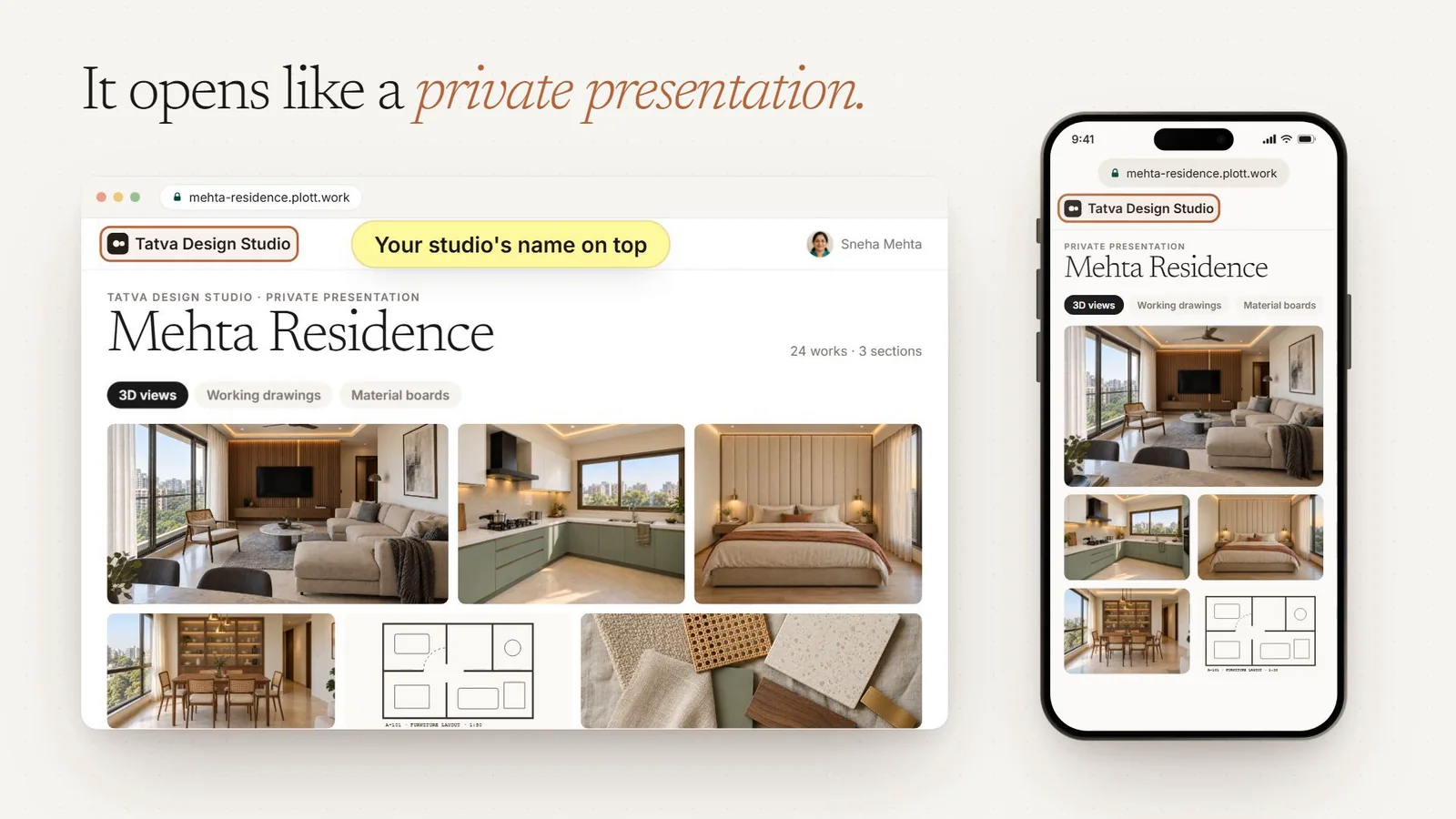
One project, spread across too many places.
Client feedback in WhatsApp, drawings in email, tasks in a spreadsheet and reminders on sticky notes. Nobody is quite sure what’s done.
Attaching the latest one again, please ignore the earlier mail.
 Living Room · Rev CWaiting for Amit’s approvalApproval
 Puja Unit · Rev BSneha: add a small drawer for diyas1 note
Run the work on one board, not a spreadsheet.
Every task, reminder and follow-up across your projects, on one board your whole team shares. Client notes become tasks, so nothing said on the link gets lost.
Try it: open a task, move it to another column, or leave a comment with an @mention.
Add open notes to a task. When it’s done, close them with a reply to the client.
Site updates and questions stay on the task, not in a group chat.
Payments, site visits and follow-ups, once or every week or month.
An owner and a due date on every task, on the board or in a list.
Everything your client needs, on one private page.
This is what Amit sees when he opens his link. Pick a part to see where it lives.
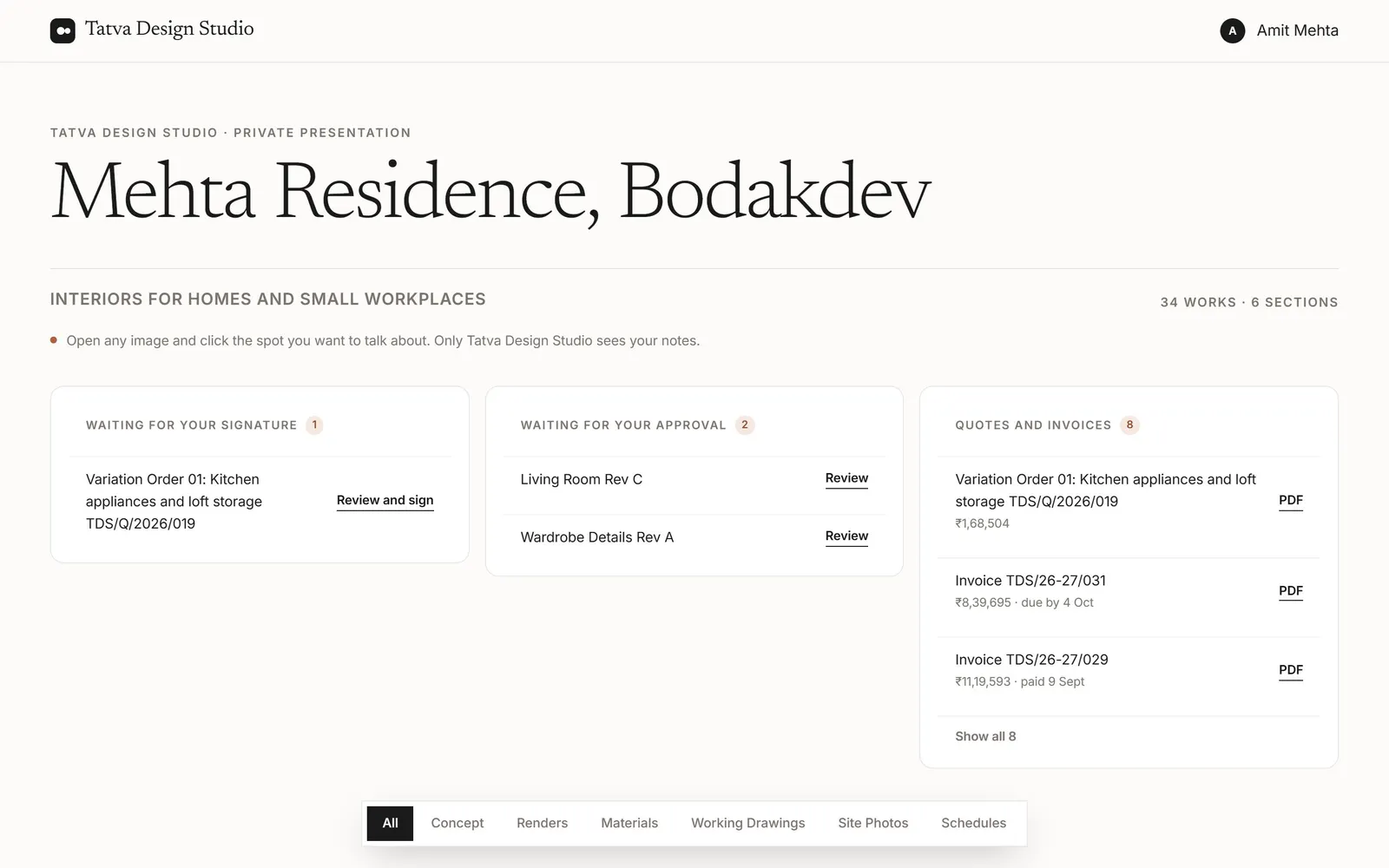
From first render to final invoice.
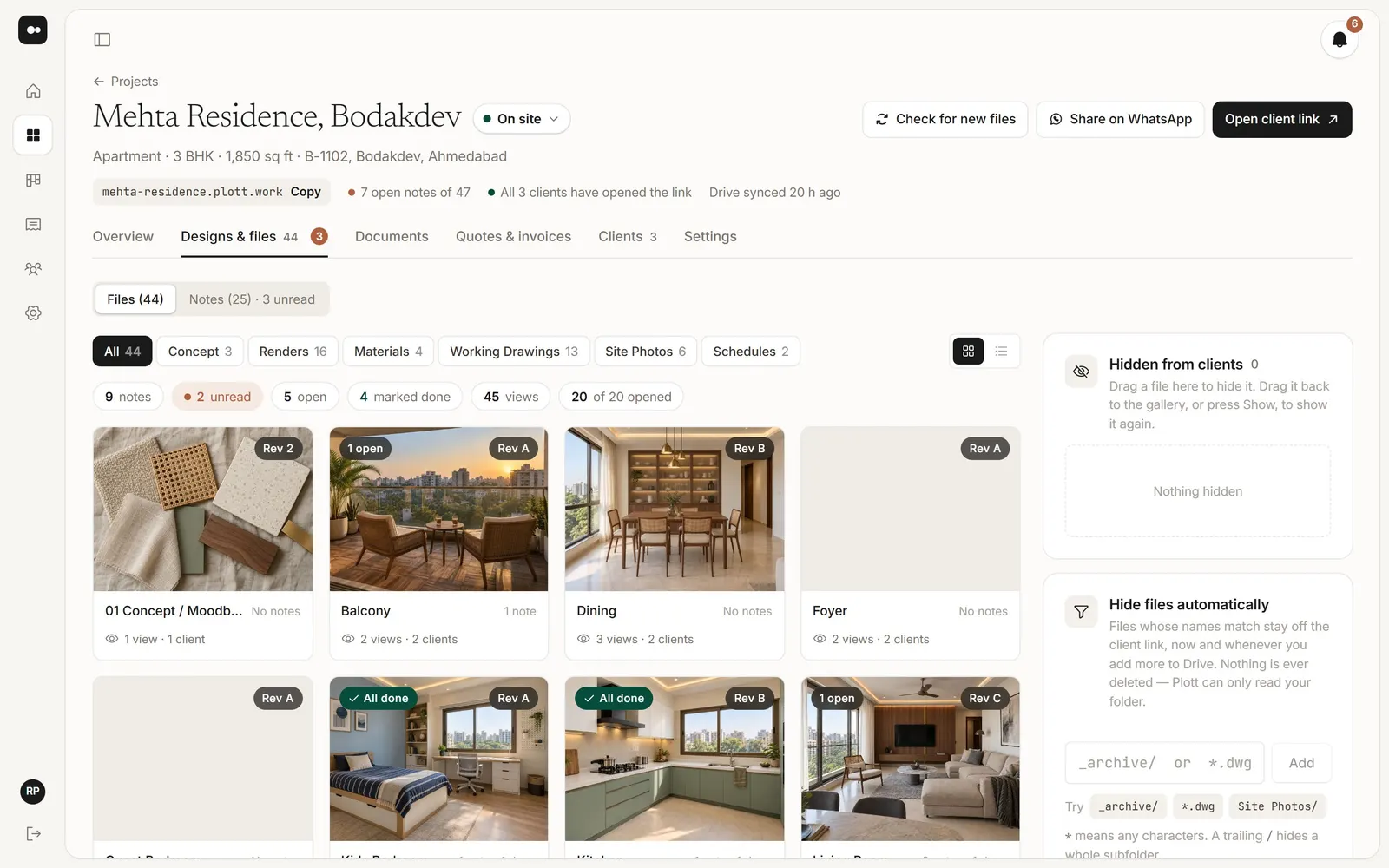
Share your Drive folder. That’s the upload.
Plott reads the folder you already use. Each folder becomes a section, and files named rev-A, rev-B stack as versions.
- Nothing copied or moved
- New files show up on their own
- Hide anything that isn’t ready
Send your first link today.
No migration, and nothing for your client to learn.
Add Plott as a Viewer on the project folder. Nothing is copied or moved.
Their name and email. Plott keeps them in your contacts for the next project.
By email, or on WhatsApp. They open it on any phone, with no password to remember.
Small things that save a lot of back and forth.
The watermark is part of the picture, so a screenshot carries it too. Switch it off once they’ve paid.
Just the clients you add, or anyone with the link and a project code.
PDFs open in the browser, with sheet numbers read from the file name.
A new note or signature shows up while you have Plott open.
Owner, Designer and Accounts roles, each seeing what they need.
Set it once. On the day, it becomes a task on the board.
Send the link where your clients already are.
Pick how the client link looks for each project. Try one.
mehta-residence.plott.work, not a random string of letters.
Choose what you and your clients hear about, per project.
If they can use WhatsApp, they can use Plott.
Nothing to install and nothing to sign up for. They open their link, see the newest design, and tap where they want a change. Try it on the phone.
Made for how design studios work.
Nothing to upload or migrate. Your files stay yours, named the way you named them.
Your team’s board and your client’s link, on the same project, so both always agree on what’s done.
GST quotes and invoices, payment schedules and INR amounts. Works worldwide too.
Not per seat. The Studio plan includes five people for one price.
Priced per studio, not per seat.
Free for 30 days, no credit card. Prices in INR, before 18% GST.
For one designer running their own projects.
- 5 projects
- Just you
- 10 clients per project
- Pins, versions and approvals
- Reminders
A small team sharing one board and one set of clients.
- 25 projects
- 5 team members
- 25 clients per project
- Watermarked previews
- Documents to sign
An established practice: as many projects and people as you need.
- 100 projects
- 20 team members
- 25 clients per project
- Everything in Studio
What studios ask first.
Do you copy my Google Drive files?
No. You share the folder with Plott as a Viewer. Nothing in your Drive is copied or changed, and your files stay named the way you named them.
Does my client need an account or an app?
No. They open one link on their phone or laptop. The link you email signs them straight in; later, a six-digit code by email gets them back in.
Can my clients download the originals?
Not unless you let them. Previews carry your studio name burned into the picture, so a screenshot carries it too. Switch it off once they have paid.
Can different clients see each other’s notes?
By default, yes: everyone on a project sees its notes and replies, with each person’s name. Switch it off in Settings and each person’s notes stay private to them and your studio. Your team’s own notes never reach clients.
Can I show PDFs and floor plans?
Yes. A multi-page PDF opens page by page in the browser, with no download. Sheet numbers and revisions are read from the file name.
Does Plott make GST invoices?
Yes. Quotes and invoices work out CGST and SGST, or IGST for another state, from your GSTIN and your client’s address. If you aren’t registered for GST, you can leave it out.
Can my team work in it too?
Yes. Invite people as Owner, Designer or Accounts. Notes, tasks and reminders are shared across the studio.
Can Plott replace our task spreadsheet?
Yes. Tasks for every project, and for the studio itself, sit on one board with an owner and a due date, as a board or a list. Client notes can be added to a task, and reminders turn into tasks on the day.
Can clients see our tasks and team comments?
No. Tasks, team comments and reminders are only for your studio. Clients see their designs, notes, approvals, documents and invoices on their link.
What happens to my files if I cancel?
Your files were never ours. They’re in your Drive, named the way you named them. The link stops working; nothing else changes.
More answers in the Help Centre.
Your next client gets one link.
Share one project folder with Plott and send the link today.
MIN20Talk to us for 20 minutesPick a time that suits you, in IST